> ## Documentation Index
> Fetch the complete documentation index at: https://botcadence-a5dbc408.mintlify.site/llms.txt
> Use this file to discover all available pages before exploring further.
# Channels
> Connect your Agent to specific platforms
Channels allow you to connect your agent to various messaging platforms, enabling you to reach your users wherever they are.
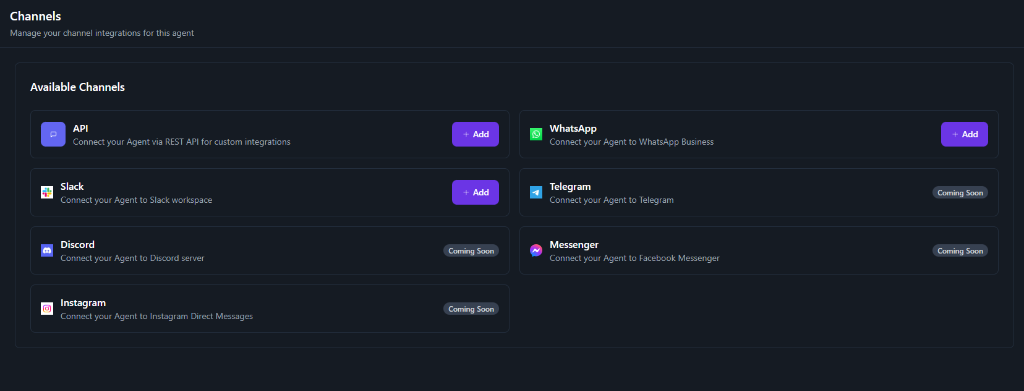 ## Available Channels
### API
Connect your Agent via REST API for custom integrations. This allows you to build your own interface or connect the agent to any system that supports HTTP requests.
### WhatsApp
Connect your Agent to WhatsApp Business. This integration allows you to:
* Send and receive messages on WhatsApp
* Automate customer support on WhatsApp
* Reach a global audience
### Slack
Connect your Agent to a Slack workspace. This is perfect for internal tools, employee support, or communities hosted on Slack.
## Coming Soon
We are working on adding support for more popular platforms:
* **Telegram**: Connect your Agent to Telegram bots.
* **Discord**: Connect your Agent to Discord servers.
* **Messenger**: Connect your Agent to Facebook Messenger.
* **Instagram**: Connect your Agent to Instagram Direct Messages.
## Available Channels
### API
Connect your Agent via REST API for custom integrations. This allows you to build your own interface or connect the agent to any system that supports HTTP requests.
### WhatsApp
Connect your Agent to WhatsApp Business. This integration allows you to:
* Send and receive messages on WhatsApp
* Automate customer support on WhatsApp
* Reach a global audience
### Slack
Connect your Agent to a Slack workspace. This is perfect for internal tools, employee support, or communities hosted on Slack.
## Coming Soon
We are working on adding support for more popular platforms:
* **Telegram**: Connect your Agent to Telegram bots.
* **Discord**: Connect your Agent to Discord servers.
* **Messenger**: Connect your Agent to Facebook Messenger.
* **Instagram**: Connect your Agent to Instagram Direct Messages.